home download support company contact us
Email Extractor Outlook n Express v4.5 (Extract email address from MS Outlook and Outlook Express)
Outlook n Express Email Extractor

Overview :

Outlook n Express Email Extractor v4.5 extracts email addresses from Microsoft Outlook (.PST) files and Outlook Express (.DBX) files. It extracts email addresses from all personal folders and sub folders of MS Outlook such as (Inbox, Outbox, Sent Items, Draft, Task, Journal etc.). It also supports Profile selection at run-time. It extracts email addresses from Outlook Express (.DBX) files. you can add the keywords those must or must not contains in extracted email addresses. Extracted email addresses can be saved in .CSV(Excel format)/.TXT file formats.

Info
Version
4.5
Size
1.1 MB
buy now
download
Video Tour
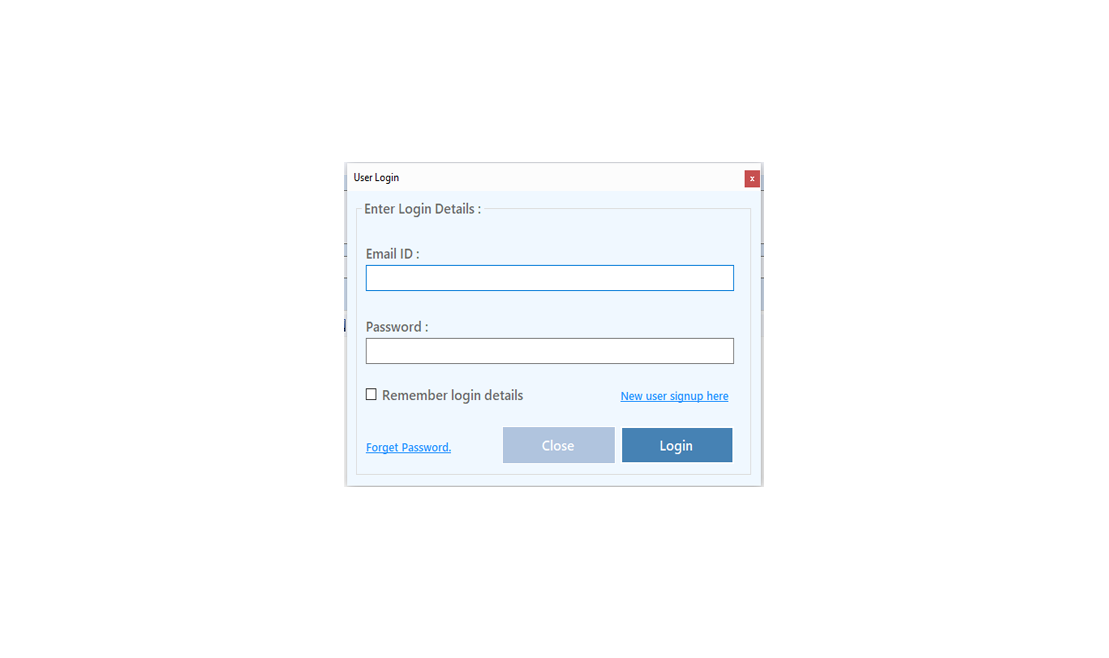
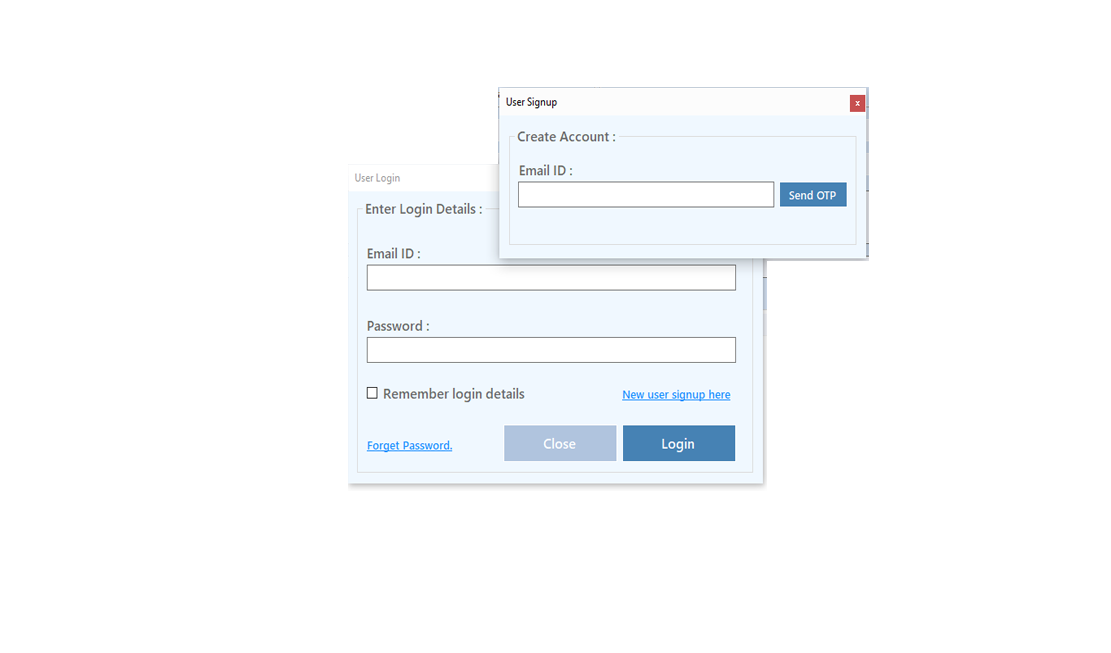
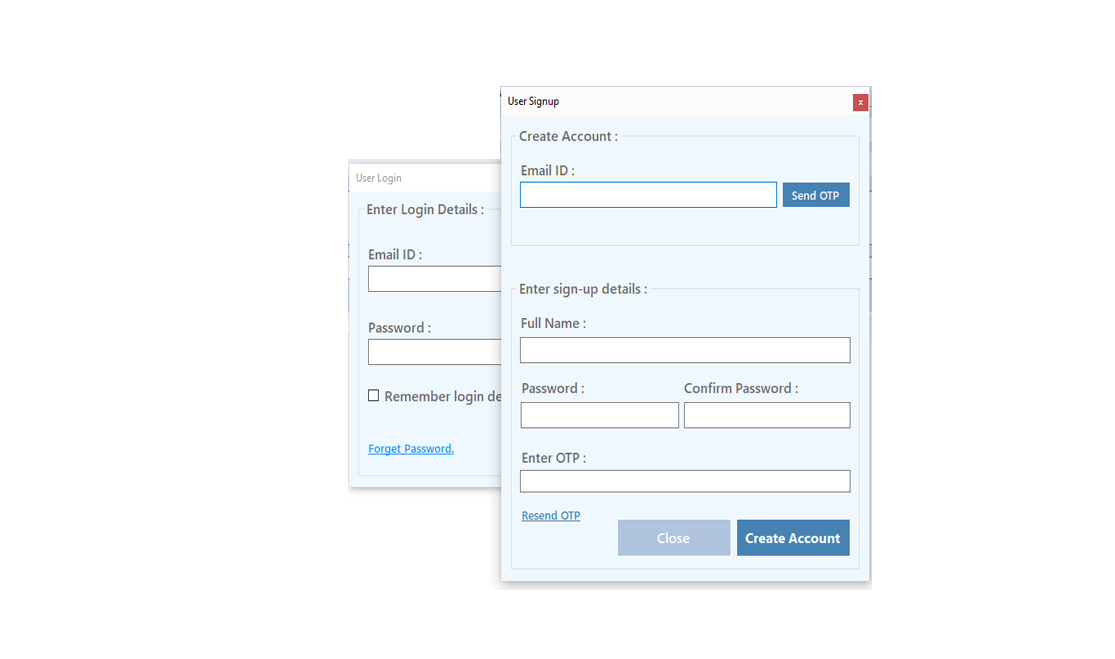
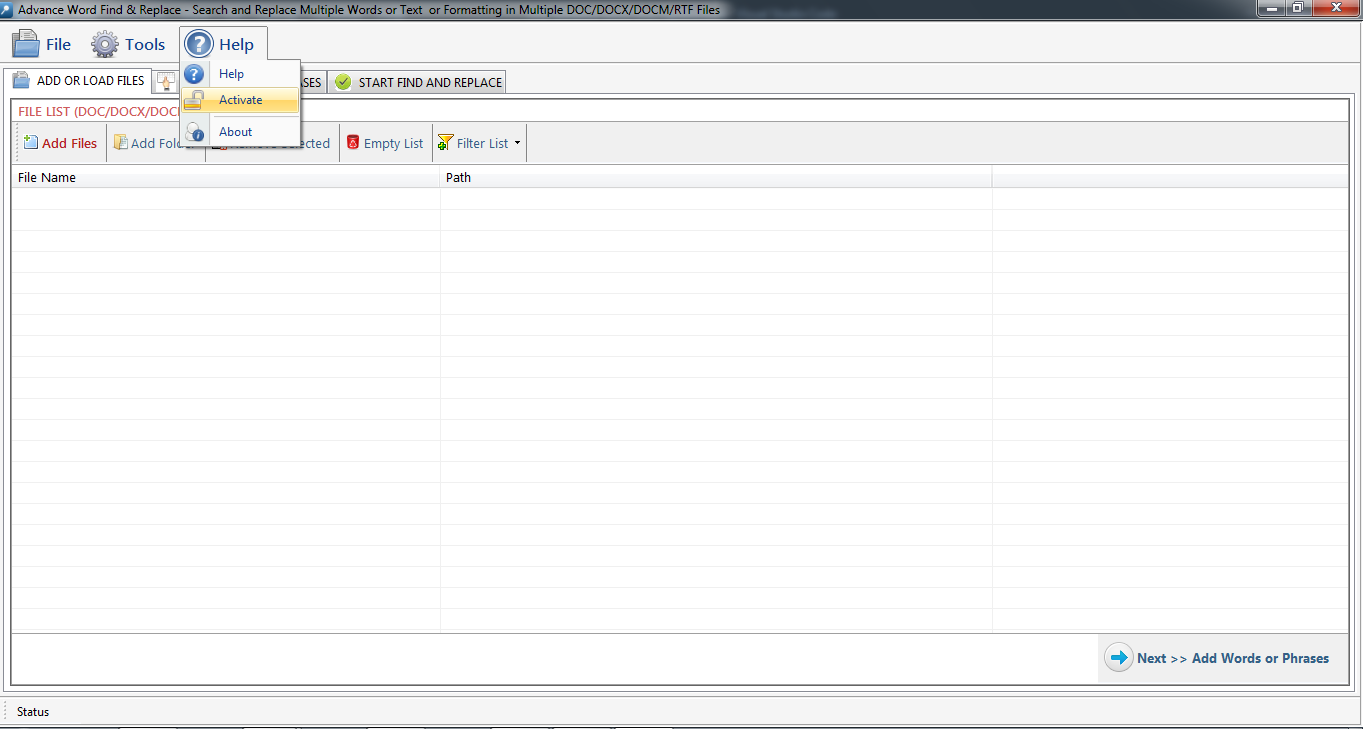
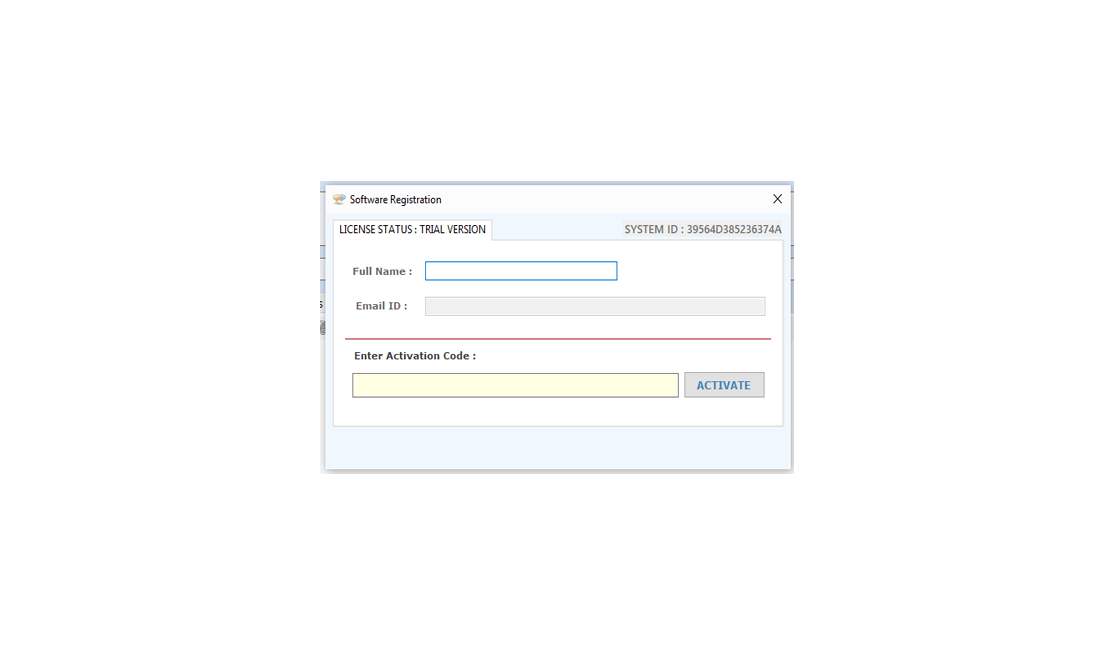
Registration/Buy/Activate:
  • You can use trial version of "Outlook N Express Email Extractor v4.5" by click "Try Demo" button, limited functionality available in trial version.
  • for using Registered version you have to purchase it. for payment just click "Buy" button.
  • After payment confirmation send your SystemID to us by Click "Register" button or via email. we will give you an activation code.
  • Put that activation code in activation code textbox and click "Activate" button.
registration

registration

Select a Profile & Extract Email Addresses From MS Outlook:

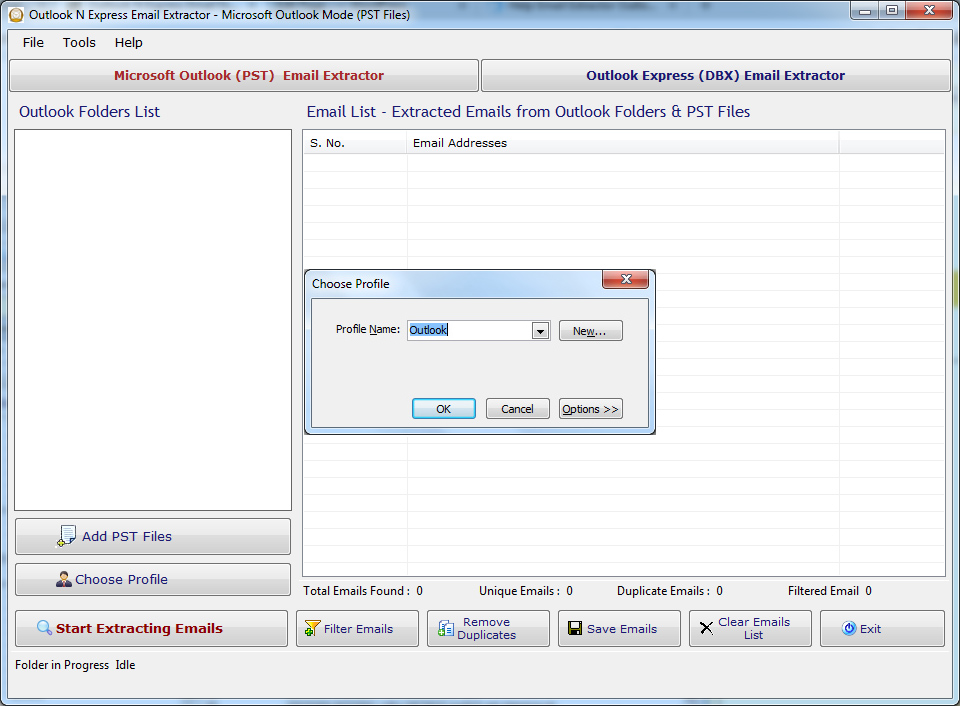
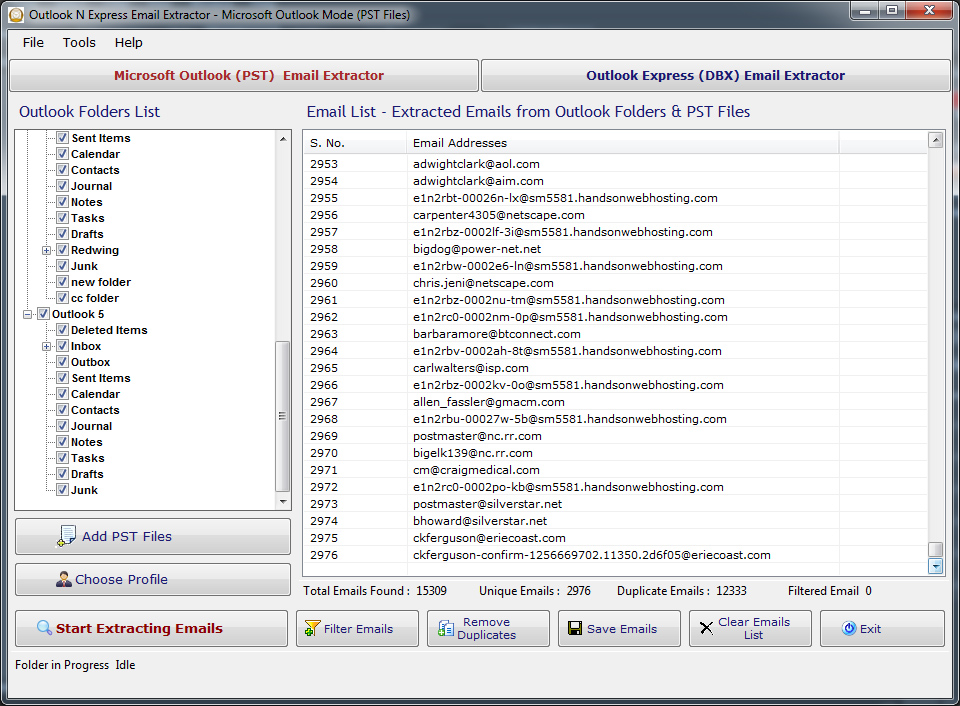
  • First run Outlook n Express Email Extractor v4.5. it will ask to select one of available profiles & fill all available personal folders from selected profile.
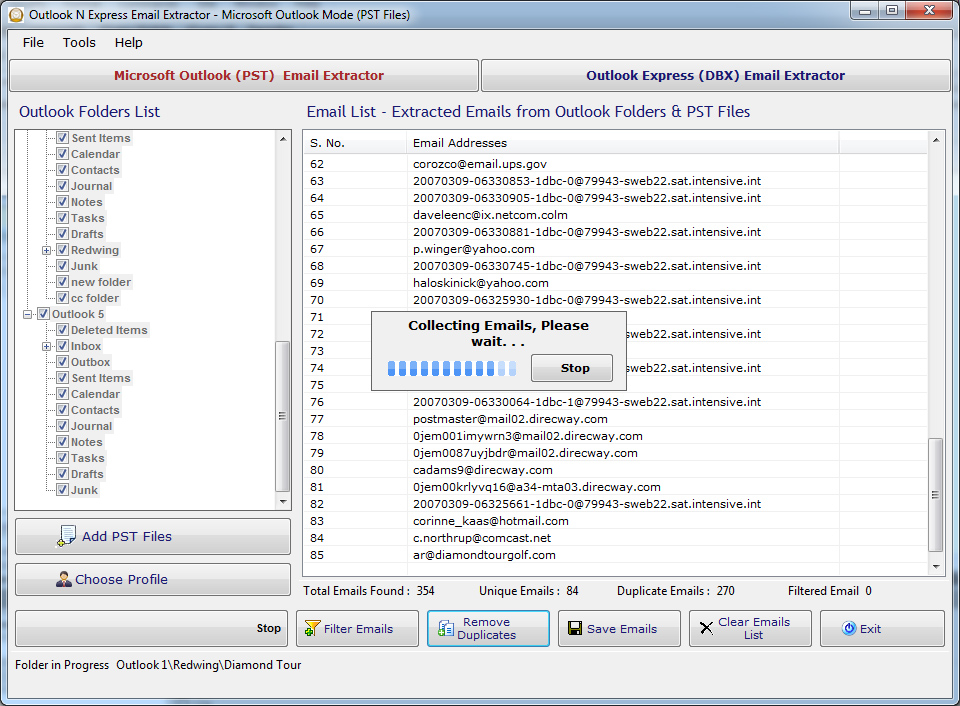
  • Now you check\Uncheck personal folder/sub folders from you want to extract email addresses.
  • After check folder(s) click "Search Emails" button. You can set searching criteria in "Settings" by click "Settings" button before start search.
  • After start search "Stop" button will be displayed for abort the searching.
  • Before doing anything, you have to stop all running processes.
Outlook n Express Email Extractor

Outlook n Express Email Extractor
Select\Change a Profile:
  • You can select or change the current selected profile. select "Microsoft Outlook" Tab and click "Microsoft Outlook Profile" button.
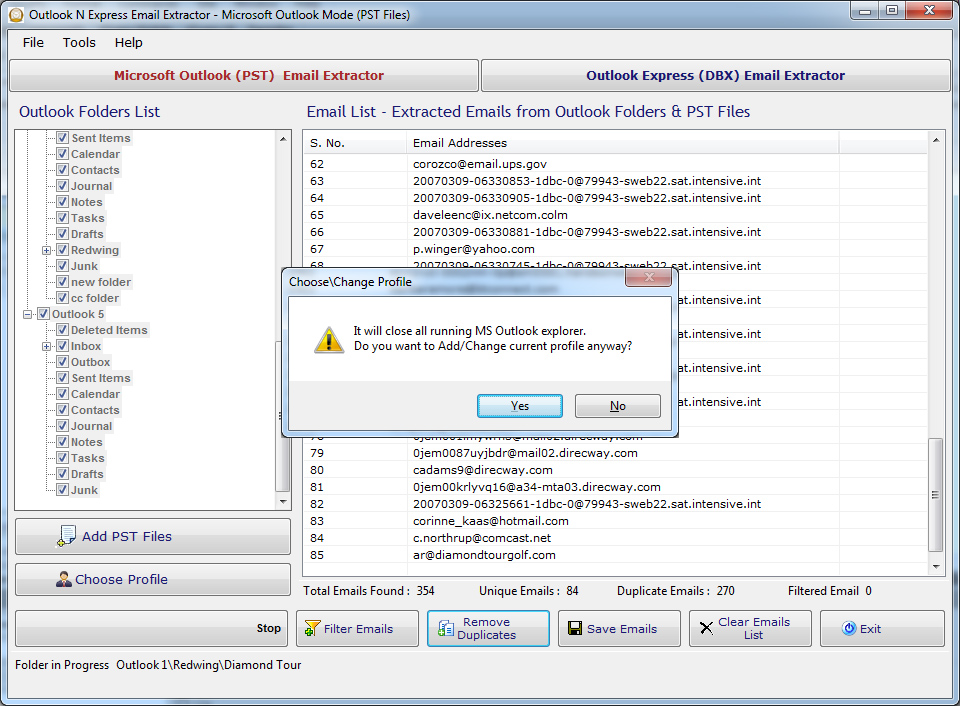
  • It will ask that all opened MS Outlook explorer be closed, if you press "Yes" button otherwise default profile would be selected. personal folders will be shown of selected profile.
Outlook n Express Email Extractor

Outlook n Express Email Extractor
Select Default Outlook Express (.DBX) Files & Add other .dbx files:
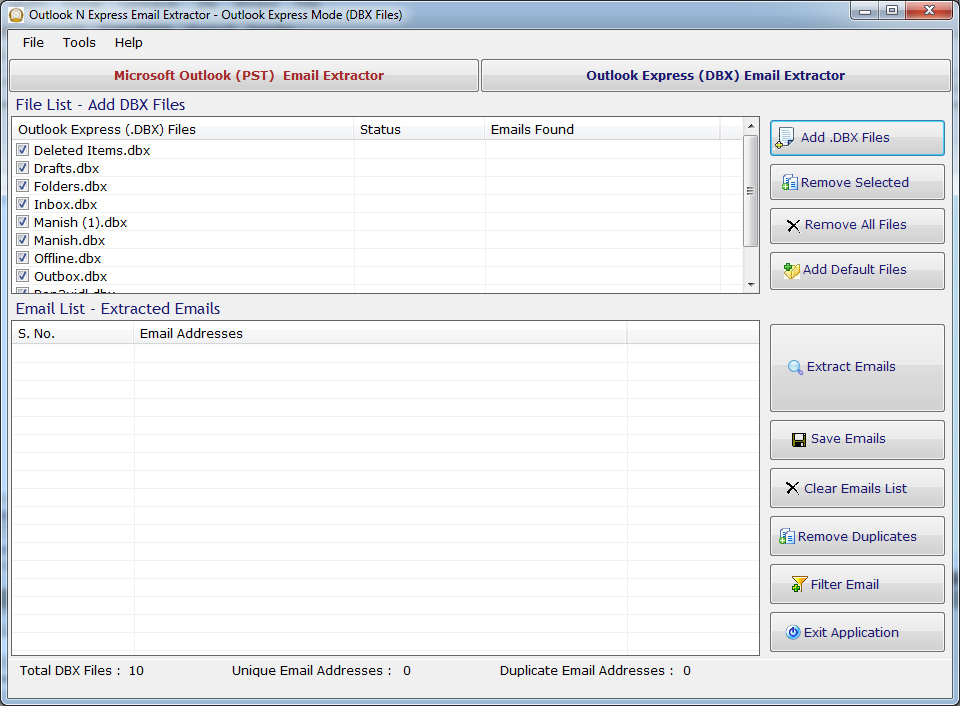
  • for extract email addresses from Outlook Express in "Outlook n Express Email Extractor v4.5" select "Outlook Express" Tab.
  • Here you can see all default Outlook Express (.DBX) files.
  • you can Add/Remove .DBX files. you can again fill default .DBX files by click "Open Default" Button.
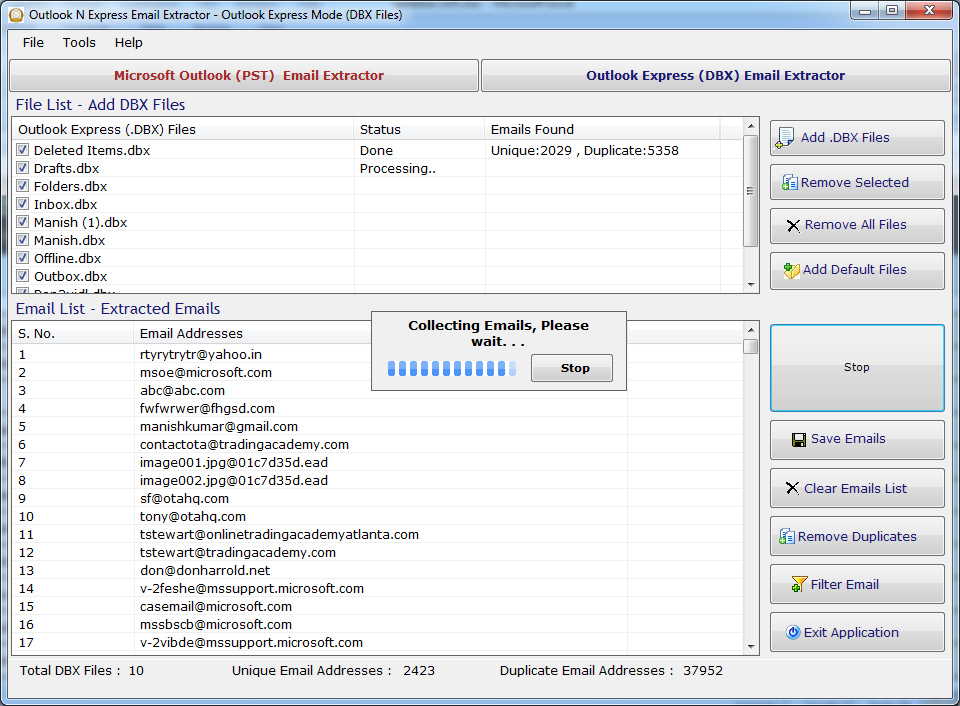
  • Now for extract email addresses click "Search Emails" Button.
  • After start search "Stop" button will be displayed for abort the searching.
  • Before doing anything, you have to stop all running processes.
Outlook n Express Email Extractor

Outlook n Express Email Extractor
Filter Extracted Email Addresses:
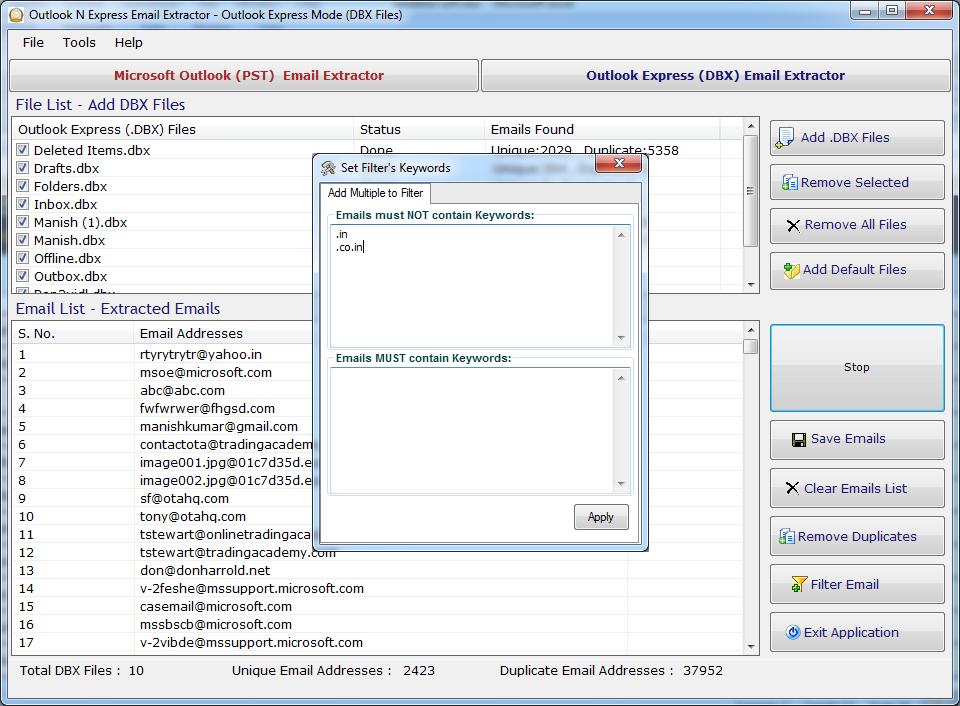
  • You can filter extracted email addresses from Microsoft Outlook or Outlook Express according to the settings.
  • You can add/remove criteria of searching email addresses.
  • Apply the settings if edited & Click "Filter Emails" button.
  • It will refine the list of email addresses in MS Outlook and Outlook Express..
Outlook n Express Email Extractor
Save Extracted Email Addresses:
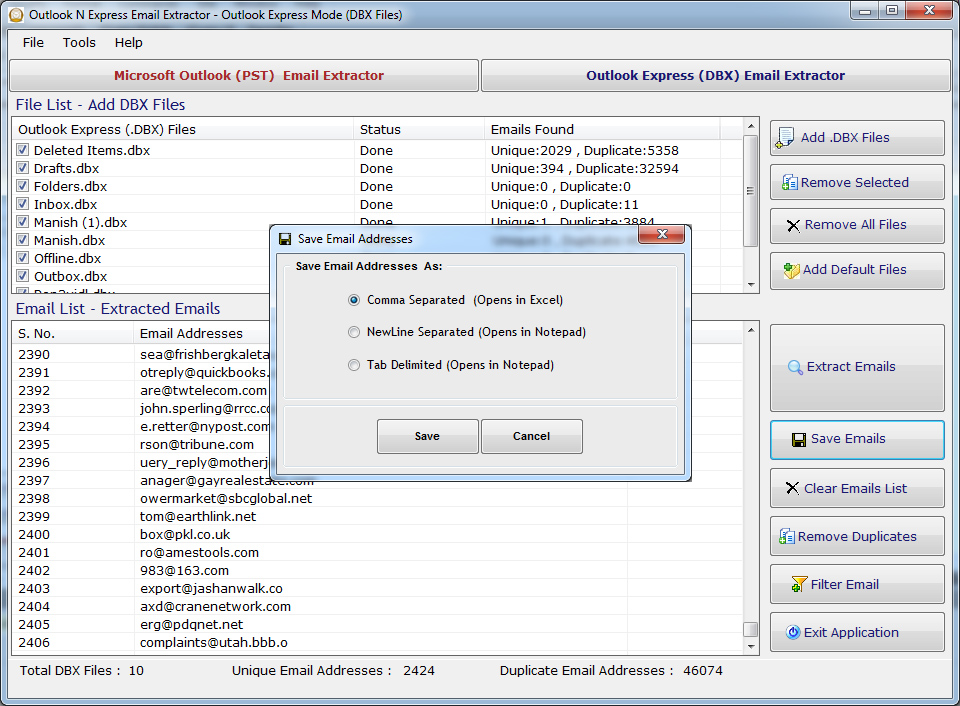
  • Extracted Email Addresses can be saved in .CSV(Excel Format)/.txt/ new Line format.
  • Extracted email addresses can be saved in registered version.
Outlook n Express Email Extractor
Settings:
  • You can change Search Criteria from Settings by click "Settings" button.
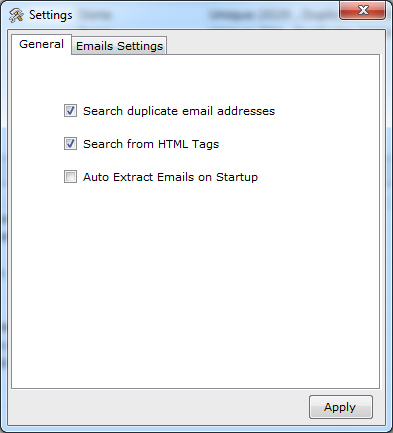
  • Setting's dialog window you can check/Uncheck "Search Duplicate emails addresses" for searching Duplicate or Non-duplicate email addresses.
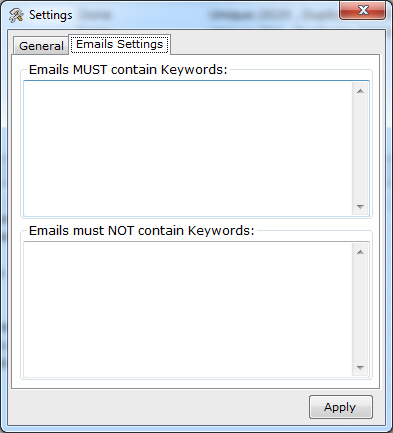
  • You can add filter in Emails, that what keywords must be exist in the extracted emails and what must not.
Outlook n Express Email Extractor
Products
Email Extractor Software
Phone Number Extractor
SMS Sender Tools
Office Automation Tools
Word Count Software
unicode converter
Excel Addins
Other Softwares
help  Get a Free Quote...
 OnLine Help

 Special Offers...
Special Combo Offers
We offer a special combo offer on some products, click here to know more details.

Special 25% discount
We offer a special discount upto 25% to our existing customers. It applies to all new & old customers. If you ever bought a product from us you can avail this discount by sending us the previous purchase transaction detail. Now you can purchase any of our product at 25% less of its actual price....more
customized software development
 
home