home download support company contact us
   
products
 
 
Email Extractor URL v3.6 (Extract email address from websites, URLs)
Email Extractor URL

Overview :

Email Extractor URL v3.6 extracts all email addresses from Website/URLs on INTERNET/WEB. It is a very fast Tool for extract email addresses from web/internet/URLs. It also have many searching options for extract emails from internet. Email Extractor URL automatically removes duplicate emails. You can get a list of those Emails you really in need instead of all available emails in webpages. Extracted Email ADDRESSES can be saved in .CSV (Open in EXCEL) & .TXT (text) files.

Email Extractor URL can load/imports website's URLs from .CSV/ .TXT file instead of writing one by one url in the list for extract emails.

buy now
download
Video Tour
Registration/Buy/Activate:
  • You can use trial version of "Email Extractor URL v3.6" by click "Try Demo" button, trial version provides you limited functionality & features.
  • for using full version you have to purchase it. for payment just click "Buy Email Extractor URL v3.6" button.
  • After payment confirmation, we will give you activation code that will Register Your "Email Extractor URL v3.6" .
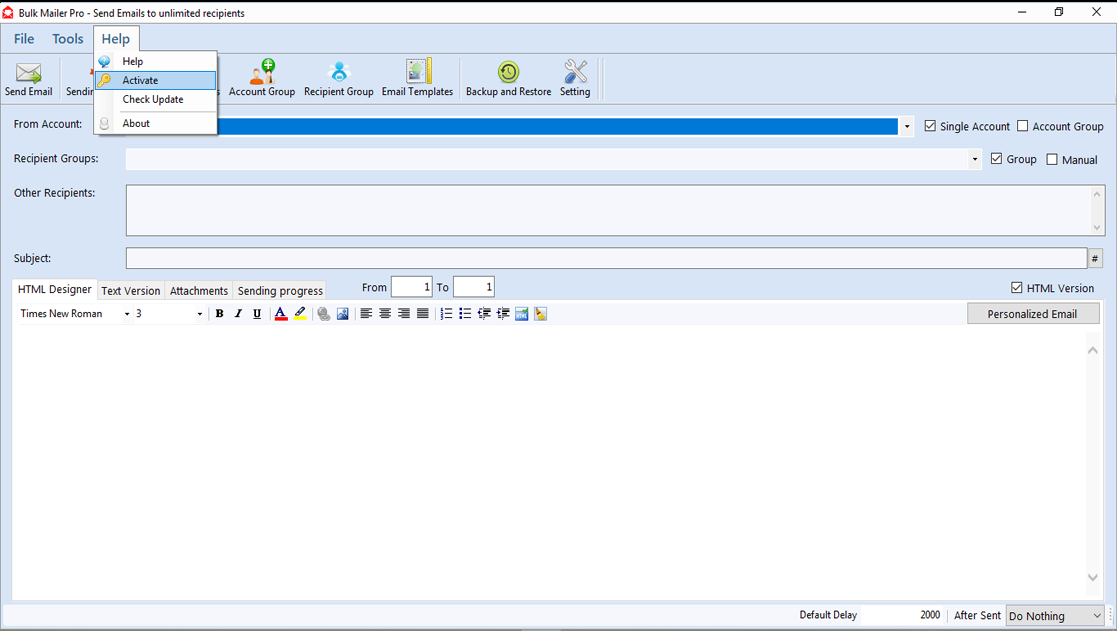
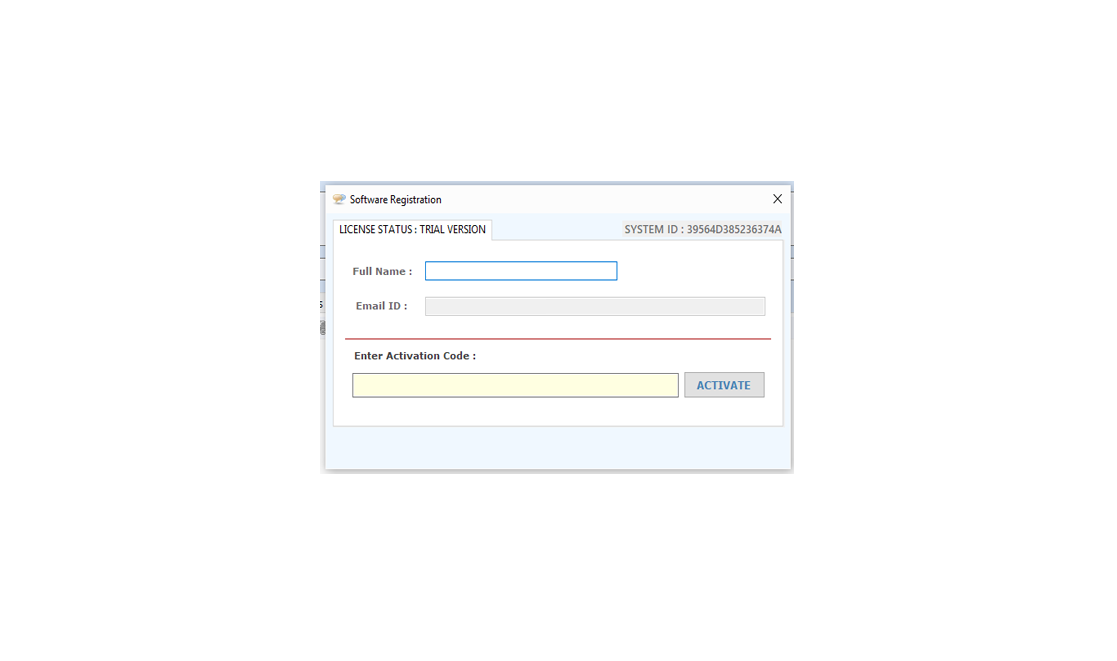
  • Put that activation code in "Activation code" text area, fill required field such as email, name, last name, company and contact information click "Activate" button in registration window as below.

registration

Email Extractor URL

Search Emails from a List of website/URL:

Following steps should be done:

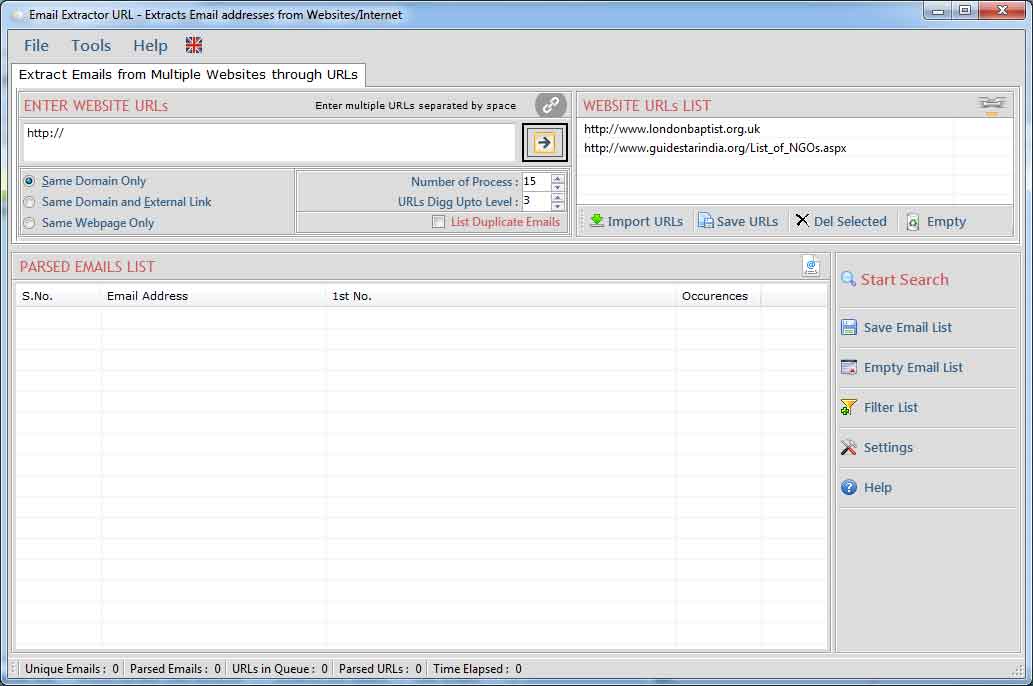
  • Run the "Email Extractor URL" for extract Emails from Internet/URL.
  • Give the proper URL in textbox OR add many URLs by separated with Space.
  • You can add many URLs from .CSV or .TXT files by click "Imports URLs" button.
  • Now select Search Emails From (1. Same Domain, 2. Same Webpages, 3. Links Outside the Domain) option.
  • Set the digg Upto Level (it defines searching of urls inside urls).
  • Set number of process (threads) to be run.
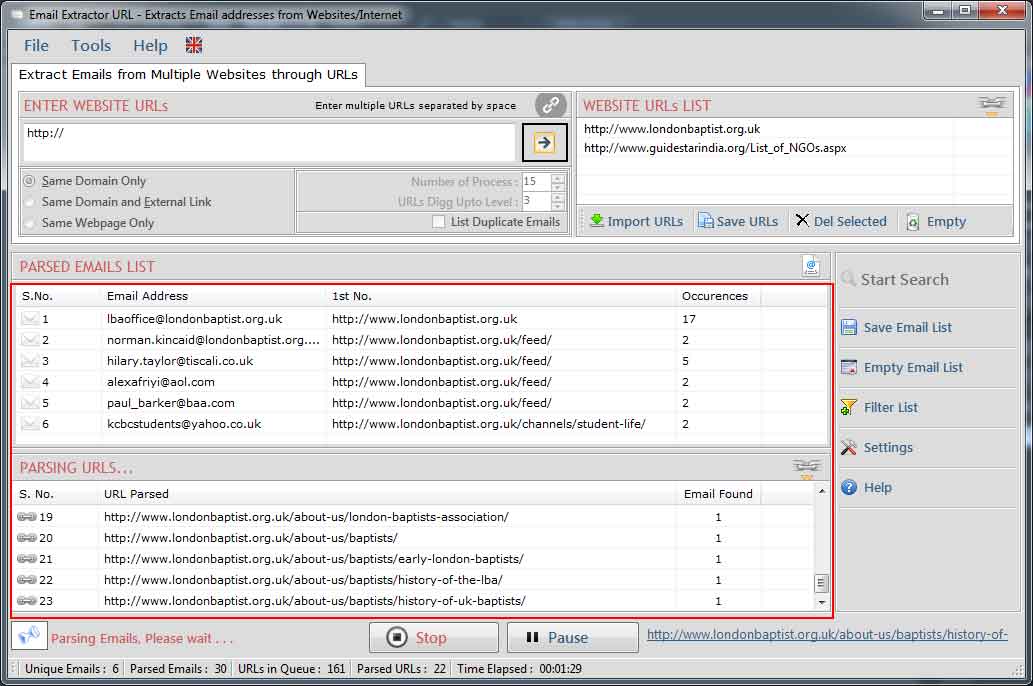
  • Start the searching by just clicking "Start Extracting Emails" Button.
  • Wait just few seconds, it will give a list of email addresses from the URLs listed in URLs List.

Email Extractor URL

  • Process can be stopped by click "Stop" button.
  • After stopped the process, you can restart the process again from starting.
Email Extractor URL
Preferences:

Settings window is use to add/edit restricted words in url and email addresses.

Following steps to be done for changing settings:
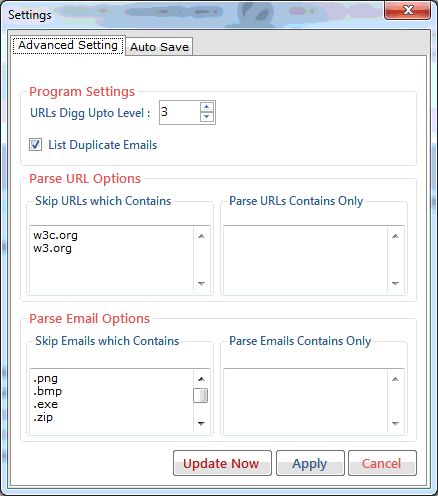
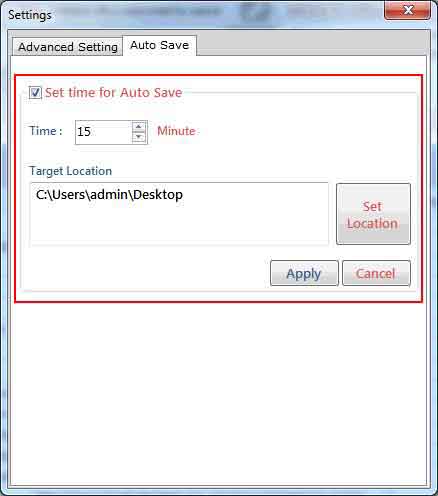
  • Click on "Settings" button in "Email Extractor URL".
  • A Settings window will be shown as below...
  • If you are using registered software, you will see a button for "Transfer the Licence on another PC".
  • After De-Register the software on the PC you can activate the same software on another Computer by the same Activation code.
  • If you have any proxy setting, you can enable the "Detect Proxy Automatically".
Email Extractor URL
  • Next tab allows you to edit Parse URLs Option.
  • Here You can add keywords that you want in parsed urls.
  • You can add keywords that parsed urls must not contains.
Email Extractor URL
  • Next tab allows you to edit emails Option.
  • Here You can add keywords that you want in extracted emails.
  • You can add keywords that emails must not contains.
Email Extractor URL

Filter Extracted Email Addresses:

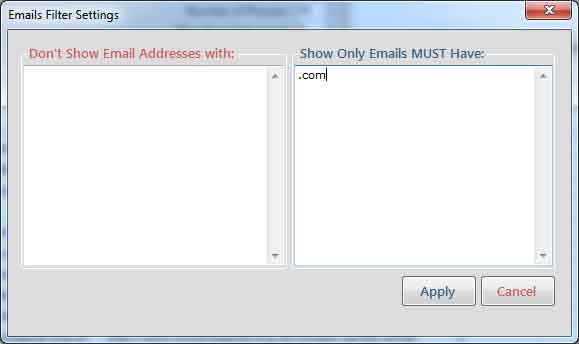
Filter allow you to show/hide the email addresses corresponding to your keywords. use filter operation by click "Filter" button. by using this feature you can see the actual emails list that you want.

Email Extractor URL
You can add filter in Email, that what keywords must be exist in the extracted emails and what must not.
Save Extracted Email Addresses:
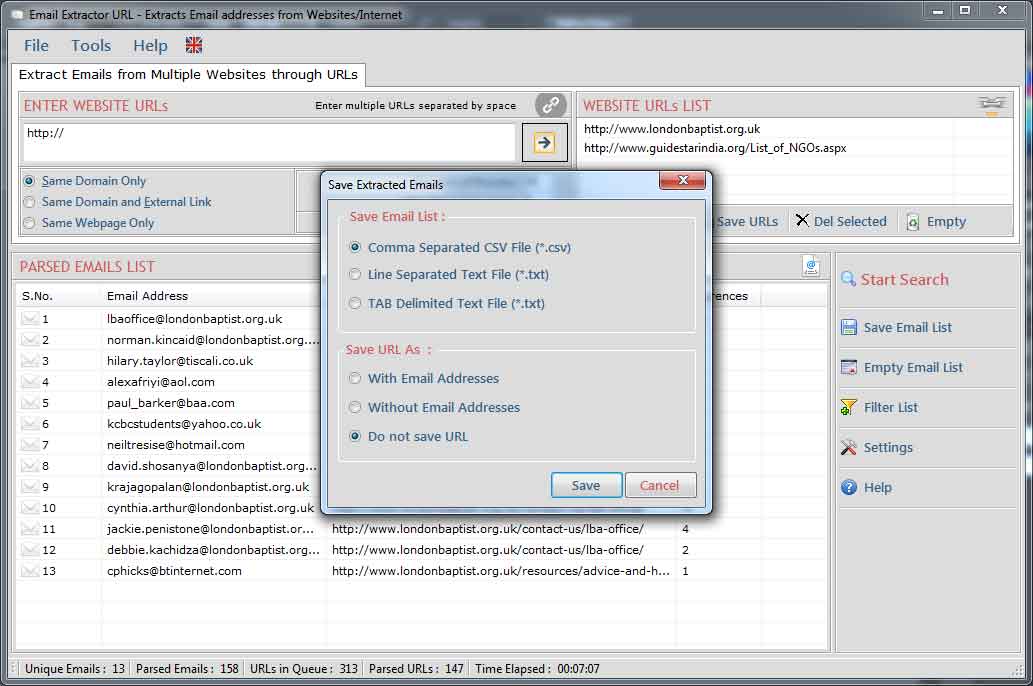
  • Extracted Email Addresses can be saved in .CSV(Excel Format)/.txt/ new Line format.
  • URLs from where email addresses extracted can also be saved with or without email addresses. by click "Save" button.
Email Extractor URL
Products
Email Extractor Software
Phone Number Extractor
SMS Sender Tools
Office Automation Tools
Batch Files Printing Tools
unicode converter
Excel Addins
 OnLine Help

 Special Offers...
Special Combo Offers
We offer a special combo offer on some products, click here to know more details.

Special 25% discount
We offer a special discount upto 25% to our existing customers. It applies to all new & old customers. If you ever bought a product from us you can avail this discount by sending us the previous purchase transaction detail. Now you can purchase any of our product at 25% less of its actual price....more
 
customized software development
© LantechSoft | info@lantechsoft.com

 
download order support company contact us home home
home