
SMS marketing remains one of the fastest and most effective ways to reach customers in 2026. Whether you’re a digital marketer, business owner, or agency, sending bulk messages efficiently can dramatically improve engagement and conversions.
For high-volume campaigns, Android Bulk SMS Sender (Unlimited Phones) by LantechSoft (code LTS-DC1001) is the ideal solution. It allows you to send SMS from multiple Android devices simultaneously, making your campaigns faster and more reliable.
Why Choose LTS-DC1001 Android Bulk SMS Sender?
- Unlimited Device Support: Send messages from as many Android phones as you need.
- High-Speed Delivery: Handles thousands of SMS seamlessly.
- User-Friendly Interface: Simple to install, configure, and start sending messages.
- Reliable Reporting: Track sent, failed, and delivered messages easily.
- Cost-Efficient: Save money by using your own SIM cards and SMS packs.
For smaller campaigns, you can also explore the 4-Phone Bulk SMS Sender, perfect for mid-sized businesses.
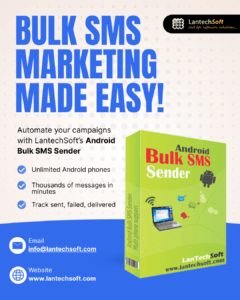
Step-by-Step Guide to Send Bulk SMS with LTS-DC1001
Step 1: Install the Android Bulk SMS Sender
Download the tool from the official page: Android Bulk SMS Sender (Unlimited Phones). Install it on all Android devices you plan to use for sending SMS.
Step 2: Import Your Contact List
You can import contacts via:
- Excel sheets
- CSV files
- Phonebook
- Manual entry
Pro Tip: Always ensure your recipients have opted in to receive messages. Consent-based marketing improves delivery rates and protects your business.

Step 3: Write Effective SMS Content
- Keep messages short and precise.
- Personalize with recipient names.
- Add a clear CTA like Buy Now, Call Now, or Visit Website.
- Include your brand name for trust and credibility.
For email campaigns to complement your SMS marketing, check Bulk Mailer Pro.
Step 4: Start Sending SMS
Click Send and the app will distribute messages across all connected Android phones. The process is automated, ensuring messages are delivered one-by-one without delays.
Step 5: Track Reports
Monitor your campaign with detailed reports:
- Sent messages
- Failed messages
- Delivery status
- Logs
This helps you refine your campaigns for better performance.
Other LantechSoft Tools to Boost Your Marketing
- Bulk Mailer Pro – Send personalized emails at scale.
- Outlook Email Extractor – Extract emails from Outlook for targeted lists.
- Email Extractor Files – Collect emails from PDFs, Word, and Excel files.
- Web Email Extractor Professional – Extract emails directly from websites.
These tools complement your SMS campaigns and help businesses automate marketing in 2026.
Who Should Use LTS-DC1001 Android Bulk SMS Sender?
- Digital marketers and agencies
- E-commerce stores
- Real estate and education institutes
- Event organizers
- Service providers, banks, and healthcare clinics
- Any business seeking fast, reliable, and high-volume SMS communication
Conclusion
In 2026, SMS marketing remains a fast, reliable, and high-converting communication channel. The LTS-DC1001 Android Bulk SMS Sender (Unlimited Phones) empowers businesses to reach thousands of customers quickly and efficiently.
Using LantechSoft tools ensures you can:
- Save time
- Reduce manual effort
- Automate campaigns
- Reach more customers
- Grow faster while staying compliant
Whether you choose the unlimited phone version or the 4-phone version, LantechSoft has you covered for all your bulk SMS needs.
