
Introduction – The Need for Advanced Document Tools
In professional environments, managing large documents efficiently is critical. Writers, editors, marketers, and researchers often face challenges in maintaining accuracy, consistency, and productivity while handling content. This is where advanced tools like Advance Word Count, Advance Line Count, and Advance Word Find & Replace Pro come into play.
These tools help professionals streamline their workflow, save time, and ensure precise document editing, making them indispensable for any content-heavy task.
Features of Advance Word Count
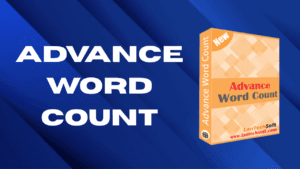
Advance Word Count is more than just a simple word counter. It offers a variety of features designed to make content management easier:
- Detailed Word Analysis: Count words, characters, and paragraphs to track document size accurately.
- Real-Time Updates: Automatically updates counts as you type, saving the need for manual calculations.
- Multiple Document Support: Analyze multiple files simultaneously for faster results.
- Custom Reports: Generate reports on word distribution and usage trends.
Benefits of Using Advance Word Count
- Improved Productivity: Quickly assess document length and content distribution.
- Content Accuracy: Ensure your document meets specific word or character requirements.
- Time-Saving: Avoid manually counting words, lines, or paragraphs.
- Professional Editing: Helps editors maintain consistency across large projects.
Features of Advance Line Count
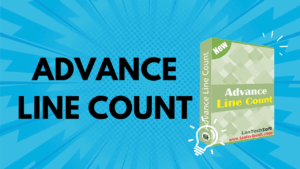
For documents where line count is important, Advance Line Count provides precise and efficient tracking:
- Exact Line Tracking: Count lines accurately across entire documents or selected sections.
- Supports Multiple Formats: Works with Word, PDF, and text files.
- Customizable Settings: Choose how lines are counted based on spacing and formatting.
- Batch Processing: Analyze multiple documents at once to save time.
How Advance Line Count Improves Workflow
Using Advance Line Count allows writers and editors to:
- Maintain Consistency: Ensure documents adhere to formatting guidelines.
- Manage Large Projects: Easily track line counts across chapters or multiple files.
- Optimize Readability: Adjust content based on line count for better presentation.
Features of Advance Word Find & Replace Pro
Editing large documents often involves repetitive changes. Advance Word Find & Replace Pro simplifies this process:
- Find & Replace Multiple Words: Search for multiple words or phrases simultaneously.
- Advanced Options: Case-sensitive, whole-word search, and pattern matching.
- Batch Processing: Replace words in multiple files at once.
- Preview Changes: Review all changes before applying to avoid errors.
Benefits of Advance Word Find & Replace Pro
- Efficiency: Save hours by automating repetitive edits.
- Accuracy: Reduce errors when replacing words across documents.
- Scalability: Handle single files or entire document libraries.
- Professional Quality: Maintain content consistency in professional projects.

Real-Life Applications of These Tools
- Writers & Editors: Ensure manuscripts meet word and line requirements, perform mass edits efficiently.
- Marketing Teams: Edit product descriptions, ad copies, and campaign content quickly.
- Researchers & Academics: Manage large research papers or reports with precision.
- Businesses: Standardize reports, manuals, or documentation effortlessly.
Best Practices for Using These Tools
- Combine Tools for Maximum Efficiency: Use Advance Word Count with Advance Line Count to monitor both metrics simultaneously.
- Batch Processing: For large projects, always utilize batch features to save time.
- Regular Updates: Keep tools updated for compatibility with latest file formats.
- Review Changes: Always preview changes in Advance Word Find & Replace Pro before finalizing edits.
Conclusion – Streamline Your Document Management
In conclusion, advanced document tools like Advance Word Count, Advance Line Count, and Advance Word Find & Replace Pro are essential for professionals who want to improve productivity, accuracy, and efficiency. These tools save time, reduce errors, and ensure content consistency, making document management much simpler.
By integrating these advanced tools into your workflow, you can handle large projects effortlessly, optimize editing processes, and focus more on creativity and quality. For any professional dealing with content-heavy tasks, these tools are indispensable.
